Sellar
The Sellar example is an analytical benchmark problem taken from [32]. Two disciplines are coupled through a pair of coupling variables (\(y_1\), \(y_2\)) and a set of shared design variables (\(z_1\), \(z_2\)), which makes it a convenient and lightweight test case for the distributed coordination methods of the DDO framework.
1. Problem formulation
Following the Distributed Design Approach, the problem is formulated as two coupled subsystem optimization problems through shared design variables \({}^{i}_{j}\)\(z\) and coupling variables \({}^{j}_{i}\)\(h\). The distributed formulation of this example is shown below:
2. Use-case implementation
The complete set of use-case specific files is available in the API Reference
under userfiles/Sellar/.
3. Coordination method
This example is configured in
InputFile.py to be solved with the
Augmented Lagrangian Coordination (ALC)
method. Alternative coordination methods are available as commented-out options
in the same file. The exemplary chosen coordination method and its
hyperparameters read as follows:
self._coordinationmethod: CoordinationMethodInterface = ALC(convergence_indicator_innerloop=ConvergenceIndicator_Innerloop_DeWit(tolerancetotalobjective=1E-4),
                                                            convergence_indicator_outerloop=ConvergenceIndicator_Outerloop_DeWit(toleranceconsistency=1E-5),
                                                            updatecouplingparametermethod_outerloop=UpdateCouplingParameterMethod_AugLagMultipliersAdaptiveWeights(
                                                                beta=1.3,
                                                                gamma=0.5,
                                                                initialweight=0.01,
                                                                initialmultiplier=0.0),
                                                            iterationscheme=SequentialForward())
4. Processing and results
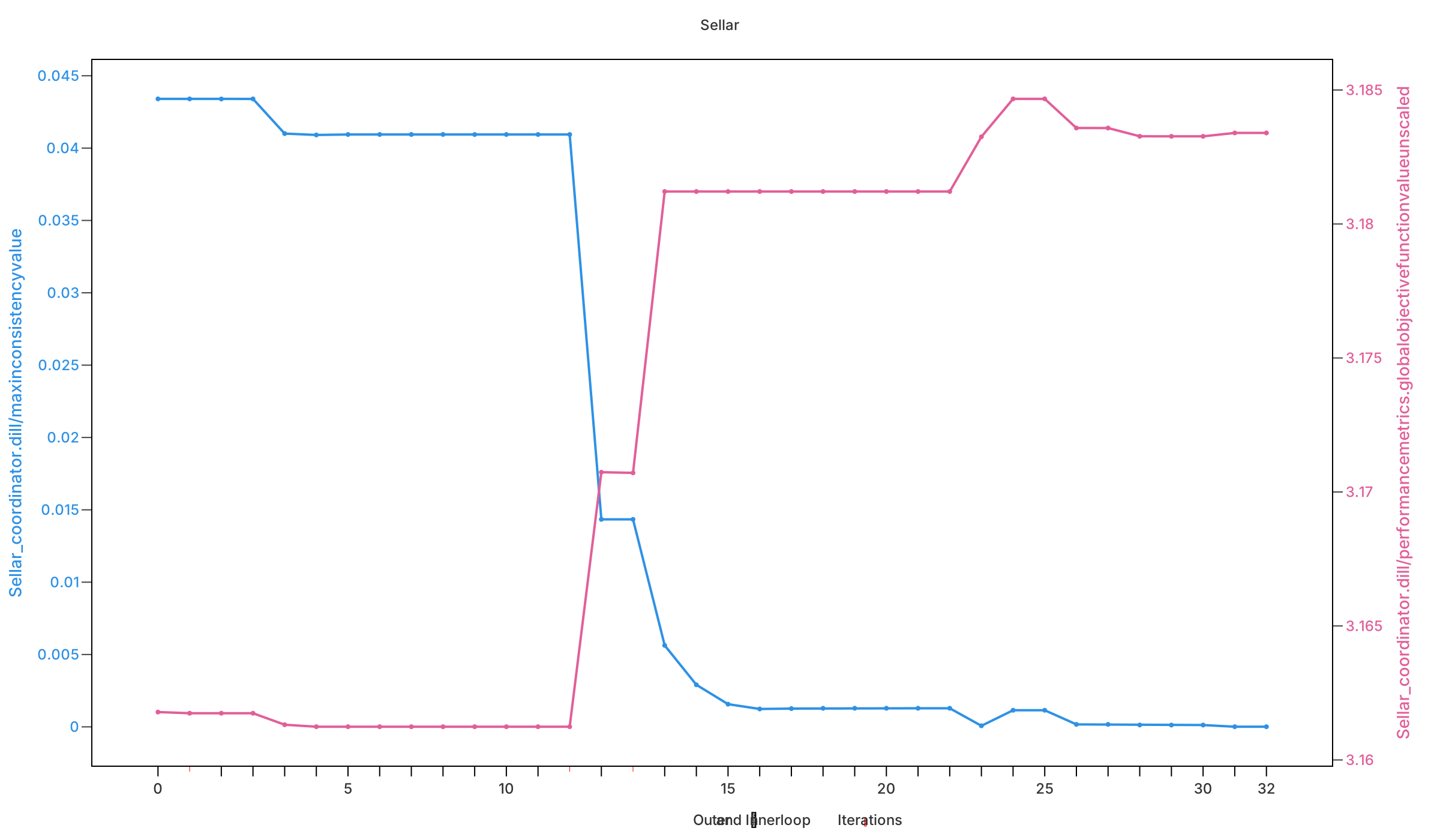
Executing the coordination method logs the optimization data into .dill
history files, which can be analyzed and visualized with the
DDO Viewer GUI. The figure below
shows exemplary information of the executed distributed design optimization for
this example: